Icon of program: TuneUp

TuneUp for Windows

  • Trial version
  • 2.7
    83
  • 43.6K
  • V3.0.0.35
Download for Windows

View an ad to download for free

Your music consultant for iTunes

TuneUp is a tool that helps organize several aspects of iTunes for you.

Unlock your creativity with Adobe Stock

Get 10 images or 1 video with a free trial

If your iTunes library is a mess, full of badly labeled tracks, TuneUp is a great way to get your library organized again. Rewriting tags yourself can take forever, so let TuneUp do it for you instead.

Overview

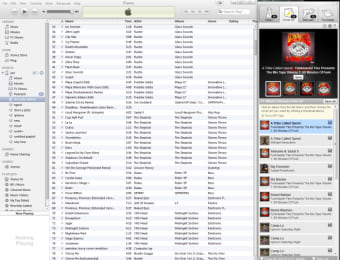
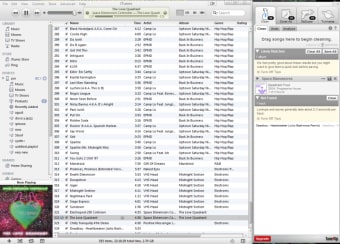
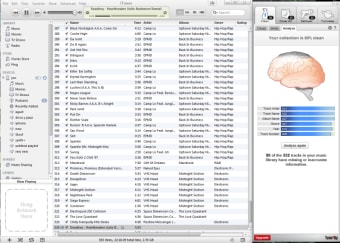
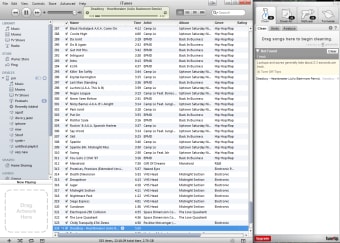
TuneUp sits next to your iTunes window, and has four functions. First is 'Clean', which searches for possible fits to your mislabeled tracks, and then automatically changes the file's tag. You can also search for cover art in the same way. Drag any album missing artwork into the TuneUp box, and it will find suitable matches, then update your files. If you like the 'cover flow' feature on iTunes, this is a great way to make it look even better.

Features

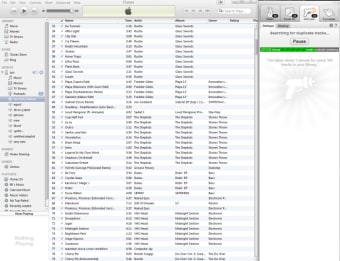
The DeDuper feature searches out duplicate songs in your collection, which you can then remove. Finally there is the Tuniverse. TuneUp's Tuniverse allows you to share what you're playing on Facebook, tweet the song on Twitter, and see related YouTube videos and biographies from Freebase. There are even concert and event notifications via the StubHub service.

TuneUp allows you to clean 500 songs and find 50 album covers, so once you've used them up you'll have to subscribe to do more. The unlimited 'Now Playing' and 'Concerts' functions might be useful to you, and the YouTube videos are definitely a nice touch.

TuneUp is a nice idea. iTunes libraries can get really untidy, and it's good to have an automated cleaning system. The app sits neatly next to iTunes, and doesn't use significant system resources.

If you have lots of files in your iTunes library that need organizing, TuneUp is a great organizational option.

Improved stability throughout, including better performance for large collections Reduced memory use Ability to detach TuneUp from iTunes and Windows Media Player Updated user interface Improved status and progress messaging Better support for intermittent Internet connection timeouts


  • Pros

    • Free
    • Efficient file cleaning
    • Easy to use
    • Lots of additional information about your music

  • Cons

    • After library cleaning, it's difficult to justify everyday use
 0/5

App specs

  • Developer

  • License

    Trial version

  • Version

    3.0.0.35
  • Latest update

  • Platform

    Windows

  • OS

    Windows 7

  • Language

    English

    Available languages

    • English
    • Spanish
    • French
    • Italian
  • Downloads

    43.6K

    Last month's downloads

    • 19
  • Size

    51.84 MB

Program available in other languages


Icon of program: TuneUp

TuneUp for PC

  • Trial version
  • 2.7
    83
  • 43.6K
  • V3.0.0.35
Download for PC

View an ad to download for free


User reviews about TuneUp

2.7

2 reviews

Add review

Main reviews for you

  • Anonymous user

    Tuneup media version 3 fails!. After the new version (3.0) was released this program fails. It takes a couple of hours to load when opening Itunes. It also takes days to magically clean your library. When Tuneupmedia identifies broken music and you check to "fix it" an error msg "unable to locate track" displays even though you are able to play the track. Attempts to get support from the company goes unanswered or you are issued a support ticket with no follow up from Tuneupmedia.

  • Anonymous user

    Don't bother - look further. After the 3.0 revision, haven't been able to get it to work properly. It keeps crashing and is unable to deal with a regular size music database. I can't recommend.

More

You may also like

Alternatives to TuneUp

Explore Apps

Latest articles

Laws concerning the use of this software vary from country to country. We do not encourage or condone the use of this program if it is in violation of these laws.
Softonic

Is TuneUp safe?

60/100

Score result: Warning

This file has been flagged as potentially harmful or containing unwanted bundled software. Please proceed with caution.

  • Virus free
  • Spyware free
  • Malware free
  • Verified by Security Partners

    VirusTotal logo

Scan Info

Last scan
Monday, December 11, 2023
Scan provider
VirusTotal · Full report

File Integrity

File
TuneUpInst_Softinic_3-0-0-35_PC_Organic_CMPID_445.exe
SHA256
702532b7d2282b3800f137f3c58889c45ae07f1992a34249a707b9ceece33e0e
SHA1
64e60300461f30550a624c4335bb2b817f9cae3c

Softonic security notice

This software has been thoroughly scanned by our advanced security systems and verified by industry-leading partners. However, one or more antivirus engines have flagged this software with potential risks. While these detections may be false positives, we recommend caution when downloading and installing. Some programs may include unwanted software or behaviors that could affect your device. False positives can occur when safe software is mistakenly flagged as harmful due to overly cautious detection rules or algorithms in antivirus tools. This means the program may still be safe to use, but we advise reviewing the details before proceeding.
Signed in to Softonic as